Yandex Navigator
- 4.5
- Rating
- 100.00M
- Installs
- Free
- Price

 Analysis by App-foxy
For me, Yandex Navigator is most useful when driving is less about finding an address and more about making sensible decisions through changing traffic. It is a free travel and local app from Direct Cursus Computer Systems Trading LLC, built around route planning and road conditions rather than sightseeing or public transport. I would describe it as a practical co-pilot: you enter a destination, compare the proposed routes, and let it help you avoid wasting time in congestion.
The app has been around since May 22, 2015, and its scale is easy to notice in the store: it has a 4.5 average from around 2.7 million ratings and more than 100 million installs. That does not automatically make it right for every driver, but it tells me this is an established navigation choice rather than a small experiment. It is rated Everyone, costs nothing to download, and current version 30.5.1 works on Android 8.0 or later.
How I use Yandex Navigator on an ordinary drive
My baseline workflow is deliberately simple. Before moving, I search for the destination, check whether the suggested route actually matches my intention, and look at the alternatives instead of accepting the first line immediately. A route that appears shortest may pass through roads where a small delay can grow quickly, while a slightly longer option may be easier to follow and less stressful.
You May Also Like

 AccuWeather: Weather Radar
AccuWeather Review: A Quick, Clear Forecast for Everyday Decisions
For everyday plans, the best forecast is the one you can understand quickly. AccuWeather makes rain timing, radar, and local conditions easy to act on, with a few trade-offs.

 Hill Climb Racing
Why Hill Climb Racing Still Turns Crashes Into One More Run
A tiny car, a bumpy hill and one more upgrade: Hill Climb Racing keeps resurfacing because its simple chaos makes every near-miss feel personal.

 AliExpress - Shopping App
AliExpress Makes Global Shopping Feel Personal, but Shoppers Bear the Risk
AliExpress turns a global marketplace into a pocket-sized discovery engine. Its reach is useful, its shopping loop compelling, and its trade-offs easy to miss.

 Lords Mobile: Kingdom Wars
Lords Mobile Is a Kingdom-Building Routine, Not a Quick Match
A case-by-case verdict on the building, battles, device demands, and social commitments that make Lords Mobile rewarding for some players and exhausting for others.

 PDF Scanner app - TapScanner
TapScanner Makes Paperwork Easier to Capture, Check, and Share
TapScanner makes scanning with a phone feel less like a rescue operation and more like a dependable step in getting work done. Its capture tools are useful, though not flawless.

 Block Blast!
 Shows How Much a Puzzle Game Can Leave Out
A quiet grid game shows why puzzle players increasingly value instant clarity, repeatable skill and low-pressure play—and where the genre still needs to catch up.
More From Our News Desk
View All News


The map is most helpful when I treat it as a planning aid rather than an authority that removes all responsibility. I still check the destination name, the final approach, and whether the pin is placed at the entrance I need. This matters with shopping centers, office complexes, apartment buildings, and large public places, where arriving at the correct street does not always mean arriving at the correct gate.
For a familiar commute, I use the app differently. I already know the normal road, so I focus on whether traffic has changed enough to justify a detour. That keeps me from following every minor recommendation and turning a predictable trip into a complicated sequence of turns. In my experience, navigation is most valuable when it helps me notice an unusual problem, not when it makes me second-guess every road I know.
A realistic example is an evening drive across town after work. I would enter the destination before leaving, compare the main route with an alternative, and pay attention to where the route becomes complicated. If the faster-looking option includes several closely spaced turns, I would weigh that against the benefit of saving time. In heavy traffic, a route that is technically quicker can be harder to follow safely, especially when I am already tired.
That is one of the app’s strongest qualities: it connects route choice with traffic instead of treating directions as a fixed list. It is not merely telling me to turn left and right. It is helping me decide which version of the journey makes sense now. Still, traffic information can change after the route is calculated, so I do not interpret an estimated arrival time as a promise.
Small setup choices that improve daily use
I recommend spending a few minutes checking the navigation settings before relying on the app for an unfamiliar journey. The important question is not how many options are available, but whether the app behaves in a way that matches how I drive. I want the map view, guidance style, and route presentation to be easy to understand at a glance, because complicated screens are a disadvantage once the car is moving.
Route preferences deserve particular attention. The quickest route is not always the most comfortable route, and the most direct route may include roads I would rather avoid in bad weather or dense traffic. I review the suggested alternatives before starting, especially when the journey crosses a busy central area. This habit gives me a better sense of the trade-off than simply trusting the first highlighted route.
I also check the destination carefully when the address is important. Searching by a business name can produce several similarly named places, and a map pin may represent a broad location rather than the exact entrance. I prefer to confirm the surrounding streets and the final turn before departure. That extra moment is more useful than trying to correct a mistake while driving.
Voice guidance is another setting I treat as a practical tool, not background noise. I want instructions to arrive early enough for lane changes and complex junctions, but I do not want to depend on spoken directions without occasionally checking the map. In a noisy car, near a busy road, or during a conversation, an instruction can be missed. Keeping the route visually understandable gives me a backup.
One useful habit is to prepare the route while parked rather than at the last second. I can examine the first few decisions, notice whether the destination is on a difficult side of the road, and decide whether I need an alternative meeting point. This is especially helpful when someone is waiting for me. It reduces the temptation to make sudden stops or late turns simply because the final approach was not considered in advance.
Faster patterns for repeat journeys
Experienced use is less about tapping faster and more about repeating a reliable sequence. For regular destinations, I keep the search terms consistent and avoid entering vague descriptions. A precise destination makes route comparison easier and reduces the chance of selecting a similarly named place. When I know the area, I use the map to verify the result rather than assuming the first search match is correct.
I also separate route planning from route following. Before leaving, I compare options and decide what kind of trip I want: the quickest practical route, the simplest route to follow, or the route that avoids a particularly unpleasant section. Once I have made that decision, I am less likely to react impulsively to every change on the screen.
For a long drive, I break the journey mentally into sections. I check the initial route, then pay attention to major transitions such as leaving a local street network, joining a larger road, or approaching the destination area. This makes the guidance easier to process than trying to understand the entire journey at once. It also helps me notice when the situation has changed enough to justify a fresh look at the route.
Another practical pattern is to avoid changing the destination repeatedly while moving. If plans change, I prefer to pull over safely before searching again. This sounds obvious, but navigation apps can create a false sense that every adjustment is harmless. The safest workflow is to prepare the next decision when stationary and let the current guidance remain simple while driving.
When I am a passenger, I use that person as a second set of eyes rather than asking them to operate the app continuously. A passenger can confirm the destination, watch for a difficult entrance, or compare an alternative route. That is more useful than having someone make frequent changes without a clear reason. The app supports decisions, but a calm division of attention still matters.
Compared with a standard map app, Yandex Navigator feels more focused on the driving moment. A general map application may be better when I am researching places, checking businesses, walking, or combining different types of transport. Yandex Navigator makes more sense when the central question is, “Which road should I take through current traffic?” I would choose the broader map tool for exploration and this app for a dedicated road journey.
Where the focused approach works best
The app suits drivers who regularly travel through busy urban roads and want route choices shaped by traffic. It is also useful for people who prefer to see alternatives before committing, rather than receiving only a single set of directions. New drivers can benefit from the clear structure of a planned route, while experienced drivers may appreciate having a quick way to check whether their usual road is unusually slow.
It is less compelling for someone who rarely drives, already knows every route they use, or mainly needs walking and public-transport planning. In those situations, a general-purpose maps application may cover more needs with fewer separate tools. I would also hesitate to make any navigation app my only preparation for a remote journey where connectivity, road changes, or local conditions could complicate the trip.
That limitation is important because the app’s main promise is traffic-aware routing. If traffic information is incomplete, delayed, or affected by an unusual event, the route can still be imperfect. I do not see that as a reason to reject it, but I do see it as a reason to keep normal driving judgement. A colored traffic line is useful context, not permission to drive aggressively or take a road that feels unsafe.
Limits I would keep in mind
The biggest friction is the gap between a calculated route and the physical reality at street level. Construction, temporary closures, confusing lane markings, restricted entrances, and crowded drop-off areas can all make a theoretically good route less convenient. The app can guide me toward an area, but I still need to read signs and make the final decision when the road layout disagrees with the screen.
Route changes can also become distracting if I keep chasing small time savings. A detour may look attractive because it avoids one slow section, yet add several turns and more opportunities for confusion. My rule is to change course only when the improvement is meaningful or the original road has become clearly unsuitable. That keeps Yandex Navigator from turning into a source of constant indecision.
There is also a difference between knowing the route and understanding the destination. Navigation can bring me to a building, but it may not solve questions such as where visitors should stop, which entrance is open, or where a pickup is permitted. For appointments, I allow extra time for the final approach instead of treating the arrival estimate as the moment I will be standing at the door.
Drivers should use the app responsibly. I set everything up before moving, keep my attention on the road, and pull over when I need to search, compare, or change a destination. The fact that an app provides spoken guidance does not make phone interaction while driving safe. The best workflow is one that reduces screen handling, not one that encourages more of it.
Device compatibility is straightforward for many people because the current release supports Android 8.0 and later. If I were preparing a family member’s older phone, I would check that requirement before planning around the app. The Everyone age rating also makes it broadly suitable from a content perspective, though safe use still depends on the driver and the situation rather than the rating itself.
My method for getting more from it
My most useful advanced habit is to judge routes by complexity as well as time. I look at the number of major decisions, the type of roads involved, and how difficult the destination approach appears. A route that saves a little time but requires rapid lane changes is not necessarily the better route for me. This is a personal trade-off the app can help reveal, but it cannot decide on my behalf.
I also use familiar roads as a reference point. If the suggested route differs from what I normally take, I ask why: is traffic the reason, or is the alternative simply shorter under ordinary conditions? That question prevents me from accepting an unfamiliar route without understanding its benefit. It is particularly valuable in areas where I know that a map line can look simple while the actual junction is awkward.
For repeat trips, I pay attention to patterns rather than isolated estimates. If the same section repeatedly causes delays, I plan around that section earlier instead of waiting for the app to surprise me each time. Conversely, if a detour is often shown but rarely saves meaningful time, I stop treating it as automatically superior. This turns navigation into a personal driving routine rather than a series of disconnected instructions.
I would not call this a replacement for local knowledge. The best results come from combining the app’s current traffic view with what I know about road quality, parking, entrances, and driving comfort. Someone who expects the application to understand every local nuance may be disappointed. Someone who uses it as a second opinion can get much more value from the same route screen.
Who should install it
I would recommend Yandex Navigator to a driver who wants a dedicated traffic-oriented navigator, especially for regular urban trips where congestion changes the best route. Its free price removes the usual barrier to trying it, and its large installed user base suggests that it has become a familiar option for many drivers. The developer is Direct Cursus Computer Systems Trading LLC, and the app’s long presence in the category gives it a mature feel.
I would skip it if my main requirement is a complete travel planner covering walking, public transport, place research, and broader trip organization in one experience. I would also choose another tool when I need a navigation workflow built around a different regional ecosystem or a particular offline routine. The right choice depends less on the app’s popularity than on whether traffic-aware driving is actually my main need.
After using it as a route companion, my view is positive but practical. Its real strength is helping me compare driving choices before congestion turns into wasted time. The best experience comes from checking the destination, reviewing alternatives, and resisting unnecessary route changes. It does not remove the need to watch signs, understand the road, or plan the final entrance, but it makes everyday traffic decisions easier to organize.
In the end, Yandex Navigator is a good fit for drivers who want focused guidance through traffic without paying for the basic app. I would install it for commuting, city errands, and unfamiliar road journeys where route choice matters. I would not treat it as an infallible road authority, and I would not choose it solely for non-driving travel. Used with a few repeatable habits, though, it becomes a genuinely useful part of a calm, prepared driving routine.
FAQs for Yandex Navigator
01What is Yandex Navigator and what does it do?
Yandex Navigator is a navigation app designed to help drivers plan routes, follow turn-by-turn directions, and monitor traffic conditions. After entering a destination, it can suggest different routes based on distance, estimated travel time, road closures, and current congestion. The app also provides voice guidance, lane information in supported areas, and map details such as streets, businesses, and points of interest.
02Does Yandex Navigator work without an internet connection?
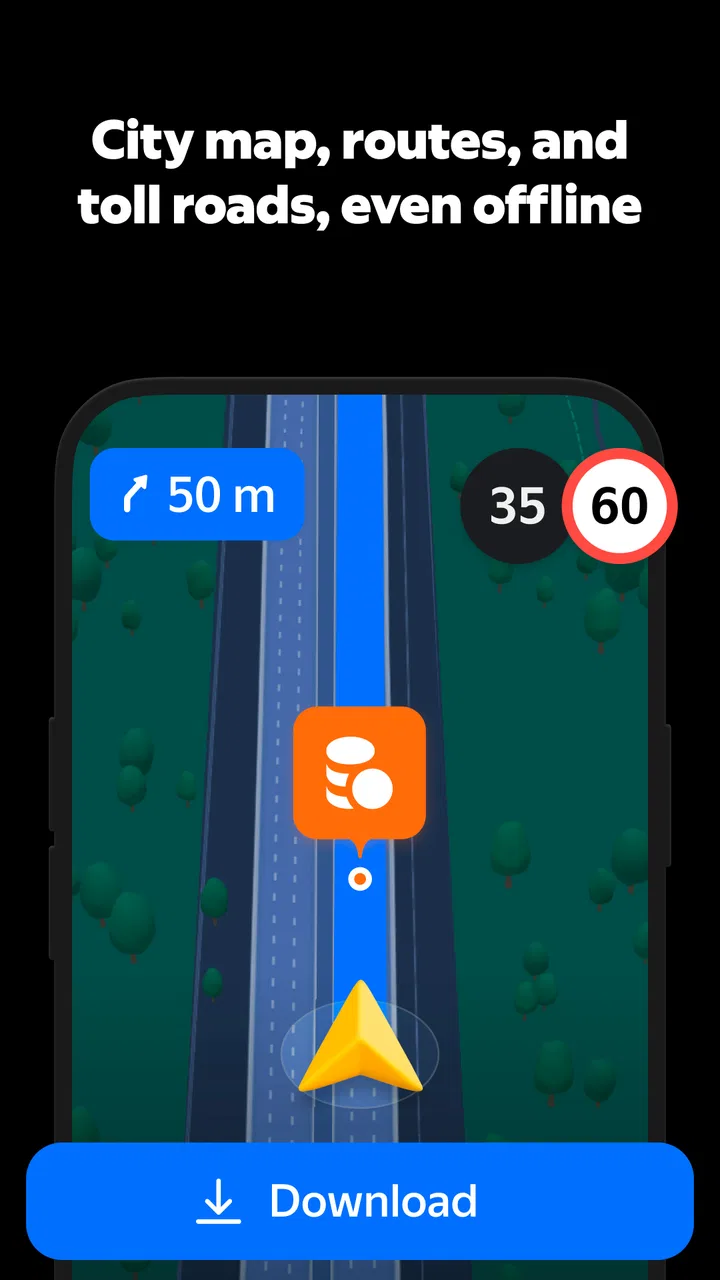
Yandex Navigator can provide offline navigation when you download the required maps in advance, which is useful when traveling through areas with weak mobile coverage or when trying to reduce data usage. However, offline mode has limitations. Live traffic updates, changing road conditions, online search results, and some route adjustments generally require an active internet connection and location services.
03Is Yandex Navigator free to download and use?
Yandex Navigator is generally available as a free download for compatible Android and iOS devices. Basic navigation features, including route planning and driving directions, are typically provided without a purchase. Depending on your country and version of the app, certain content, services, advertisements, or connected Yandex features may vary. Check the relevant app store listing for current availability and requirements.
04How accurate are the traffic updates and route suggestions?
The app uses available location data and online traffic information to estimate driving times and recommend routes. In cities with many active users and strong data coverage, traffic information can be quite useful and may update during a journey. Accuracy can differ by region, road type, and the number of reported incidents, so drivers should still pay attention to road signs and changing conditions.
05What permissions does Yandex Navigator require, and should I be concerned about privacy?
Yandex Navigator normally requests access to your device location so it can determine your position and provide accurate navigation. Depending on the features you use, it may also need internet access, notifications, microphone access for voice commands, and other permissions. Before installing, review the permissions and privacy information shown in your app store and Yandex account settings, and disable optional access you do not need.
Pros
- Accurate turn-by-turn directions with clear lane guidance
- Works well with Russian addresses and local points of interest
- Live traffic data helps suggest faster alternative routes
- Voice navigation keeps instructions easy to follow while driving
- Supports offline maps for navigation without mobile data
Cons
- Traffic updates and some features require an active internet connection
- Offline maps can consume considerable storage space
- Route suggestions may change frequently during heavy traffic
- The interface can feel crowded with alerts and map details
- Availability and accuracy vary significantly by country and region

Yandex Navigator
Gallery